
Codex makes recipes easier to keep track of. Pin the recipes you’re working toward, fill the crafting grid with one click, and brew with a proper recipe book for the brewing stand. It runs on both Fabric and NeoForge.
Pinned recipes
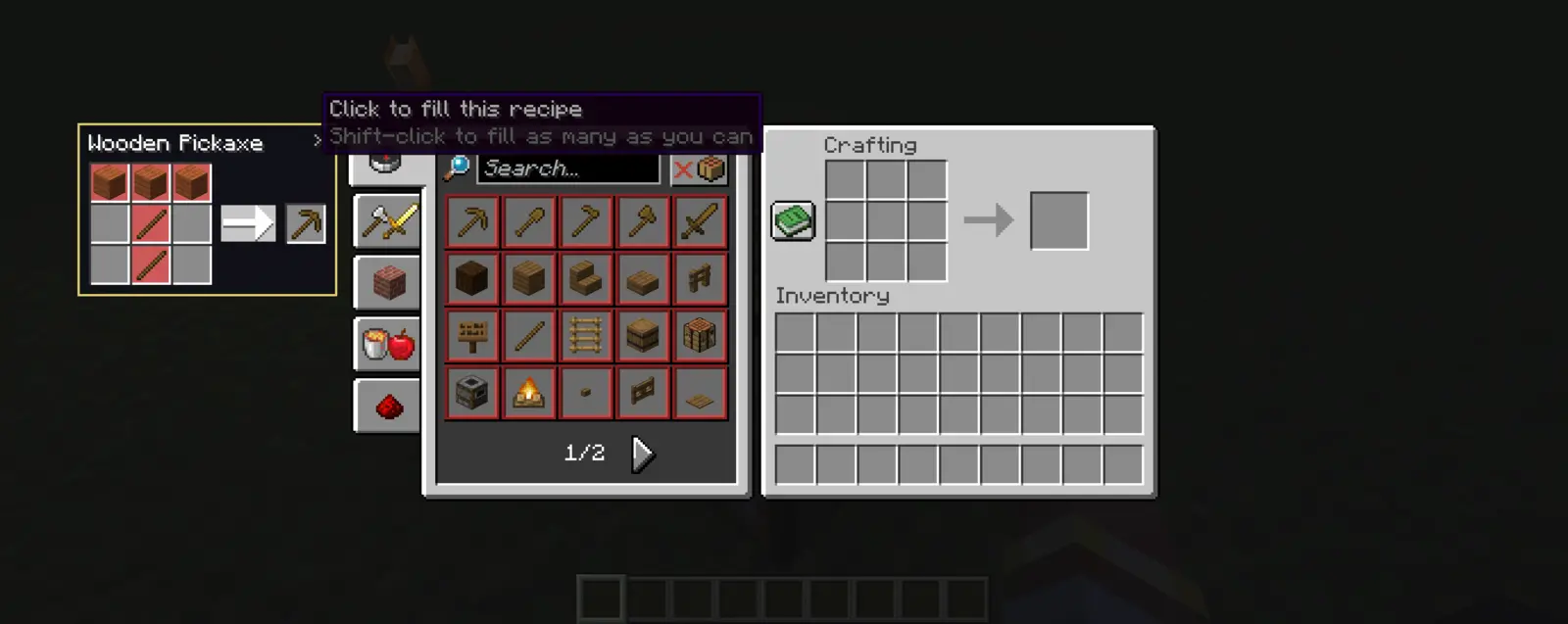
- Pin any recipe. Hover a recipe in the vanilla recipe book and press B. Press B again to unpin it, or click the x on the pin.
- Only in menus. Pins appear beside the inventory, crafting table, furnace, blast furnace, smoker and brewing stand, never on the in-game HUD.
- Shows what’s missing. Ingredients you don’t have are tinted red.
- Click to fill. Clicking a pin in a station that can make it fills the recipe in. Shift-click fills as many as you can, and missing items show as a ghost recipe. If a pin belongs to another station or needs a 3x3 grid, the tooltip tells you where to make it.
- Look up missing ingredients. Click a red ingredient on a pin, or a ghost item in the grid, to pin that ingredient’s recipe too. For slots like “any planks” it picks the kind you already have.
- Up to 4 pins at once. Pinning a 5th drops the oldest.
- Pins are saved in
config/codex.json, so they stay after a restart.
Brewing recipe book
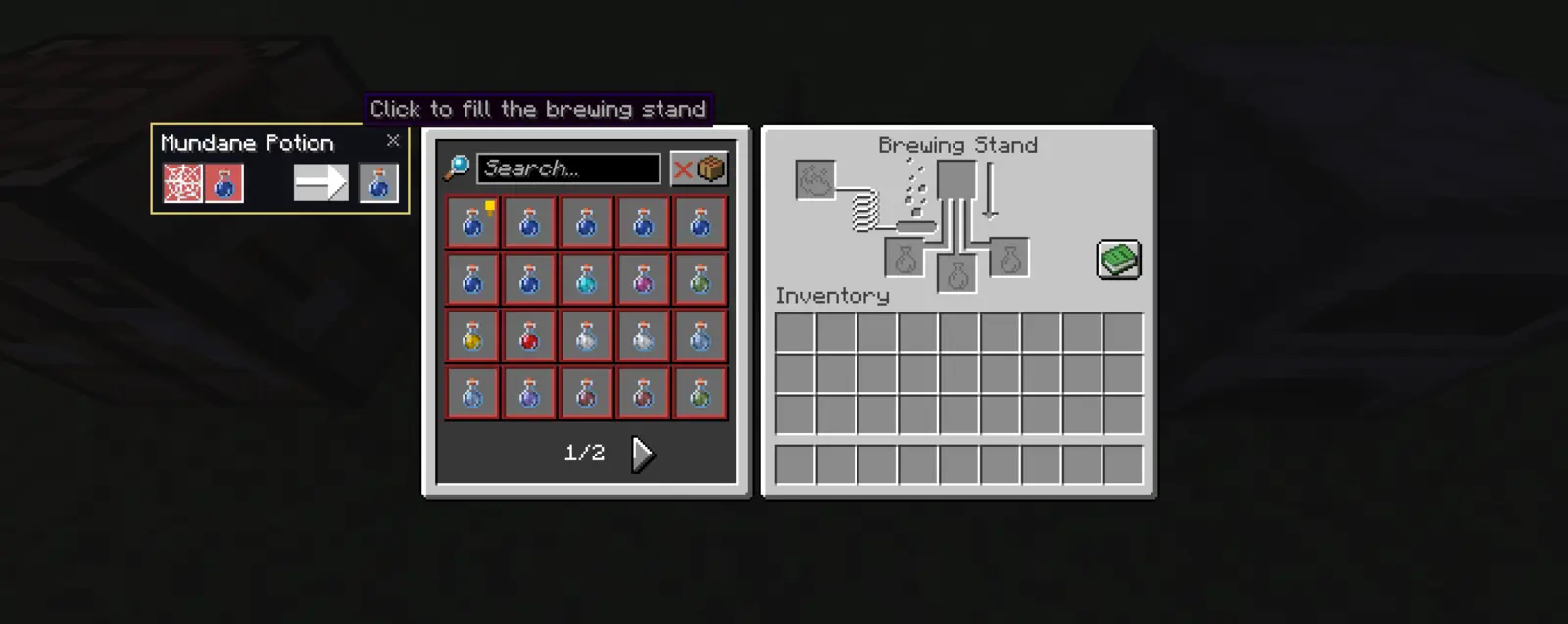
- Click the green book button on the brewing stand to open a recipe book styled like the vanilla one.
- It lists every brewing recipe you’ve unlocked, including Long and II versions, splash and lingering potions, and recipes from other mods.
- Ingredients that brew the same thing share one entry. Vanilla’s 12 ways to make a Mundane Potion show as a single recipe that cycles through them.
- Hover a recipe to see its base bottle, ingredient and effects. Recipes you have the items for get a grey background, the rest a red one.
- Search by name, and toggle between all recipes and only the ones you can brew right now.
- Click a recipe to move its bottles and ingredient into the stand. Missing items show as ghosts. Click a ghost to look up how to brew it.
- Press B on a brewing recipe to pin it, the same as a crafting recipe.
Potion Scrolls
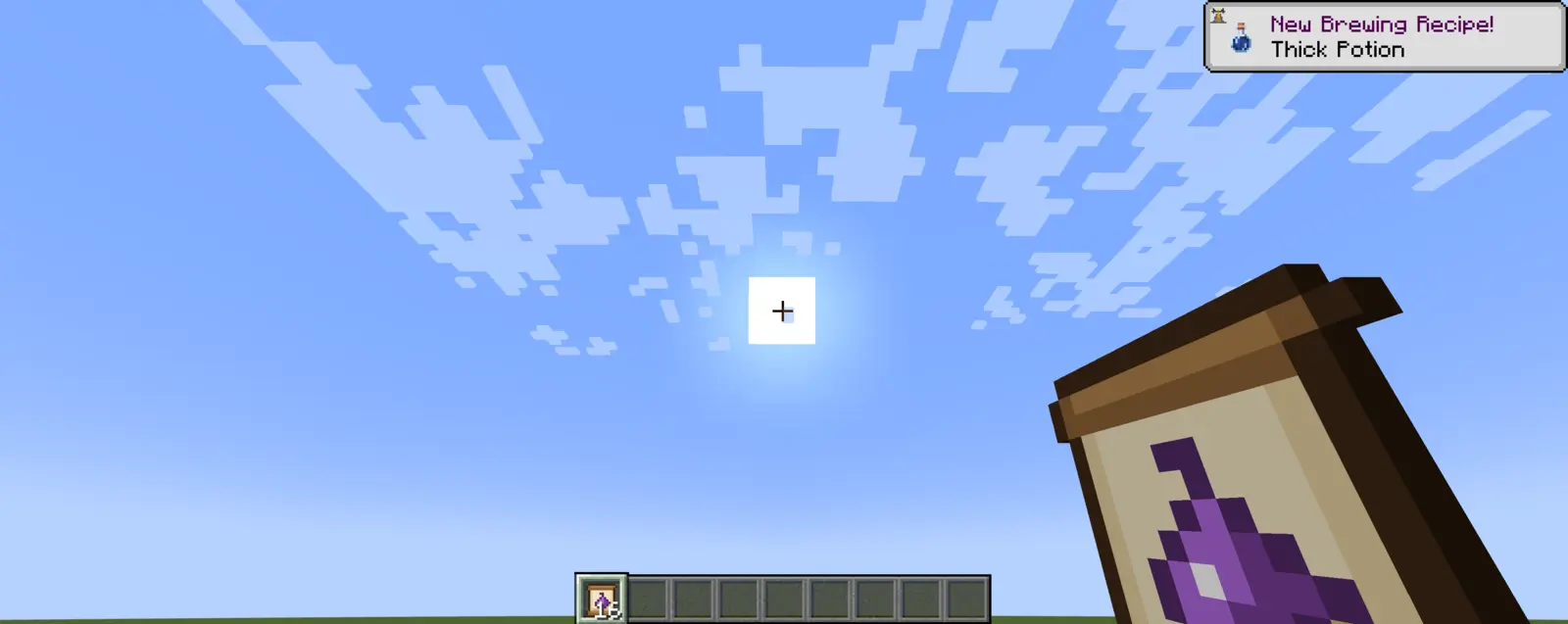
- Crafting: paper + nether wart + glass bottle (shapeless). The recipe unlocks when you pick up nether wart.
- Witch drops: witches killed by a player drop one 25% of the time, plus 10% per level of Looting (55% with Looting III).
- Using one teaches you a random brewing recipe you don’t know yet, with a New Brewing Recipe! toast.
- Sneak while using to read a whole stack at once.
- Unlocks only fill the book. You can still brew anything without unlocking it, just like vanilla.
- Unlocks are saved per player and kept through death.
- Master Alchemist: learning every brewing recipe earns a challenge advancement in the Nether tab.
- Operators can use
/brewbook unlockalland/brewbook reset.
Controls
| Action | Default |
|---|---|
| Pin or unpin the hovered recipe | B (rebind under Options → Controls → Key Binds → Codex) |
| Fill a pinned recipe | Click the pin |
| Fill as many as you can | Shift-click the pin |
| Pin a missing ingredient’s recipe | Click the red slot or ghost item |
| Read a whole stack of scrolls | Sneak + use |
Installation
Install Fabric Loader with Fabric API, or NeoForge 21.1, and put the matching jar in your mods folder. Codex adds an item, so it’s needed on both the server and every client.

